Company settings
The details that print on documents, and how dates, times and money are shown.
All help topics
Settings → Company holds what every client sees about you and what every screen assumes about where you are.
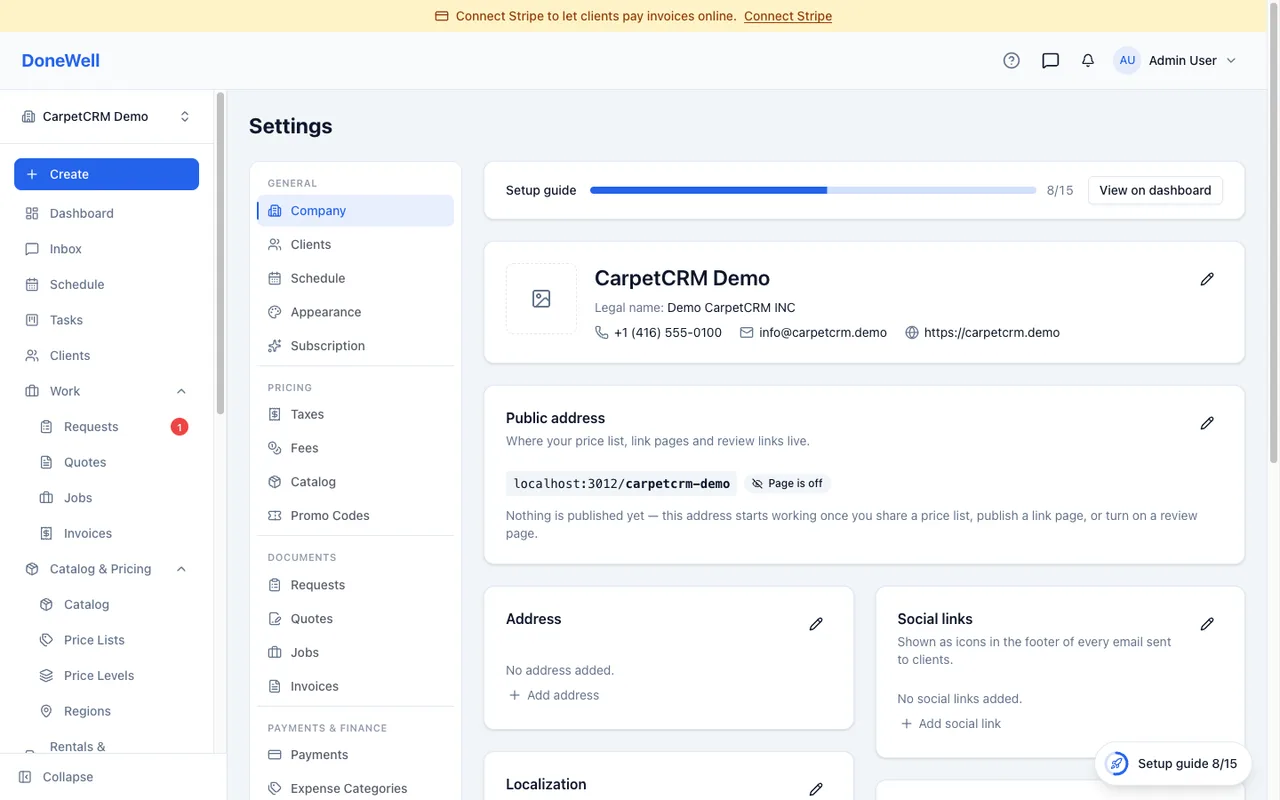
Identity
- Company name is your brand — it appears in the app, on your public pages and in emails.
- Legal name prints on quotes and invoices when it differs from the brand.
- Logo, address, phone and email print on every document and in the header of your emails. Upload a logo with a transparent background for the best result.
Localization
- Time zone — every time you see in DoneWell is shown in it. Set it before scheduling anything.
- Time format — 12-hour or 24-hour.
- Date format — day-first, month-first or year-first.
- Currency — the symbol on every amount.
Changing these updates every screen and document at once.
Your public address
Your company has a public address of its own (donewellapp.com/your-company) for the price list, review page and quick links you choose to publish. Nothing is public until you switch it on, page by page, and the address itself does not change once set — it is printed on cards and QR codes.
Working hours and defaults
Working hours, the first day of the week and the default calendar view are under Settings → Schedule. Document numbering, payment terms and the messages that go out with quotes and invoices are under Settings → Documents.
Missing something? Every guide is short on purpose — write to support@donewellapp.com and we will add it.